Most container tutorials isolate individual tools. You read one guide on writing multi-stage Dockerfiles, another on setting up Compose networking, and a third on integration testing. Seeing how these pieces integrate into a cohesive, production-grade architecture is much rarer.
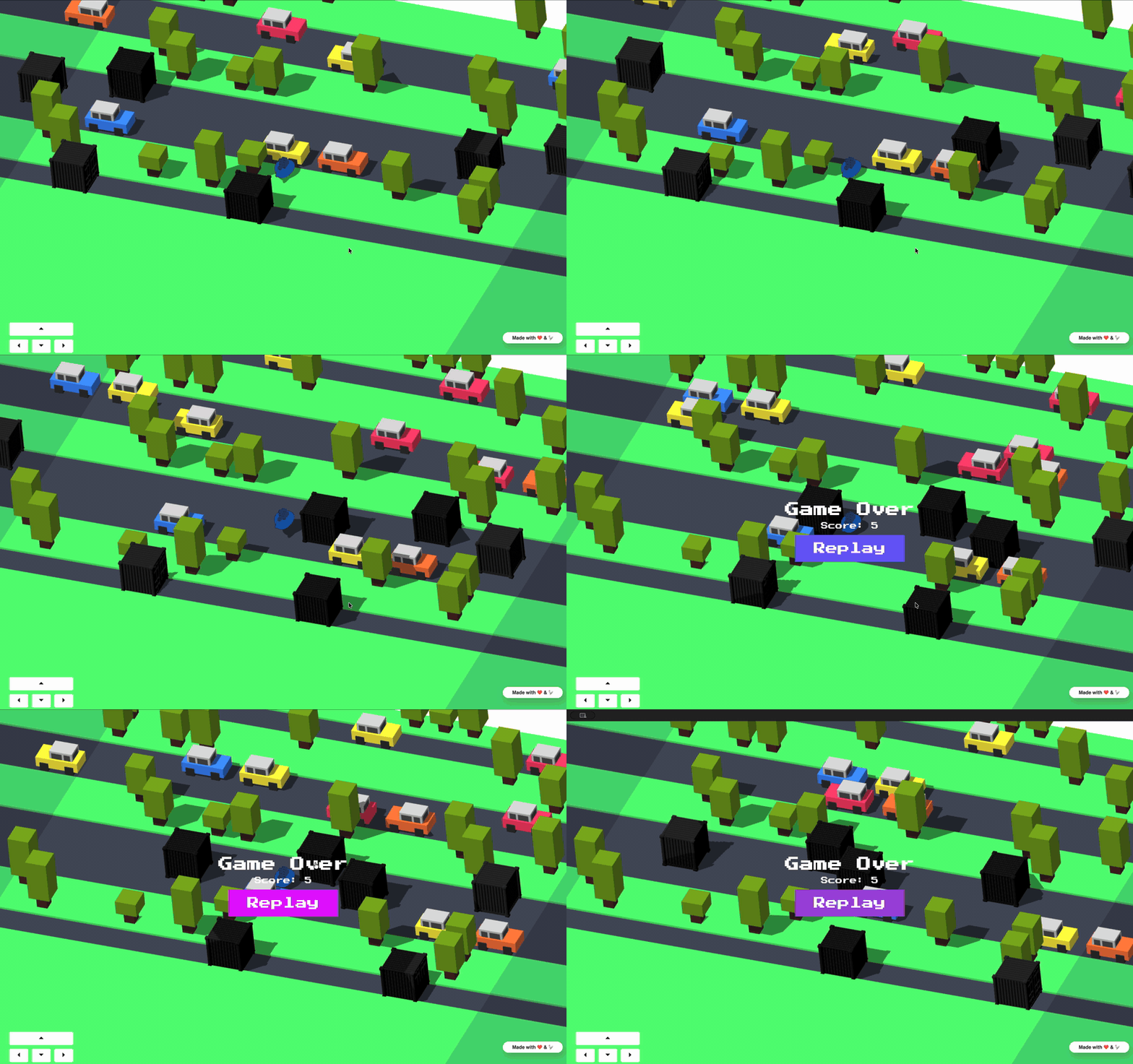
The open-source repository krisfoster/crossy-whale demonstrates this more complete workflow through a playable demo. It is a browser-based arcade game starring the Docker whale navigating lanes of container traffic, built in Go and vanilla JavaScript. Beneath the game sits an architecture showcasing six core container technologies in a single repository.
1. Multi-Service Orchestration with Docker Compose
Running the entire stack locally requires one command:
docker compose up -d
Open docker-compose.yml. Compose coordinates five core services on a shared private bridge network:
services:
  redis:            # In-memory data store for leaderboards and QR state
  app:              # Core Go web backend and game server
  commits-service:  # Microservice streaming recent git commits via SSE
  scores-service:   # Microservice managing score submissions
  nginx:            # Reverse proxy and static file ingress
  ngrok:            # Optional public HTTPS tunnel
Internal DNS and Network Isolation
Compose automatically generates internal DNS entries matching each service name. The Go backend connects to Redis using the hostname redis:
# app service definition
environment:
  - REDIS_ADDR=redis:6379
No hardcoded container IP addresses exist in the codebase. Docker resolves redis dynamically on the stack network.
Network boundaries remain strict:
redis:
  expose:
    - "6379"

nginx:
  ports:
    - "80:80"

app:
  ports:
    - "8080:8080"
The expose directive allows inter-container communication on port 6379 while preventing the port from binding to your host interface. Nginx acts as the single public entry point on port 80, routing API calls and serving static assets.
Conditional Profiles
The stack supports optional services via Compose profiles. To expose the game to mobile devices over the internet, pass --profile public:
docker compose --profile public up -d
The ngrok service declaration uses profiles: [public], preventing unnecessary tunnels from starting during standard local development.
2. Lean Multi-Stage Dockerfiles
Open app/Dockerfile. The Go backend uses a two-stage build pattern to produce a minimal runtime image:
# Stage 1: Compilation environment
FROM dhi.io/golang:1.25-alpine-dev AS build
WORKDIR /src
COPY app/go.mod app/go.sum ./
RUN go mod download
COPY app/ .
RUN CGO_ENABLED=0 go build -o /out/app .

# Stage 2: Minimal runtime image
FROM dhi.io/static:20260611-alpine3.24
COPY --from=build /out/app /app
COPY frontend/game /frontend
ENTRYPOINT ["/app"]
The Go compiler, package manager, and build tools stay in the build stage. The final production image contains only the statically compiled binary and the game assets. This approach reduces image size and eliminates unnecessary packages that could contain vulnerabilities.
3. Docker Hardened Images (DHI)
Both base images pull from dhi.io, Docker’s registry for security-hardened container images. These images ship minimal package footprints with fixed CVE patches.
Using hardened images occasionally reveals configuration differences compared to standard upstream images. For example, dhi.io/redis enables Redis protected-mode by default. In standard Docker networking across multiple containers, protected mode rejects connections originating outside 127.0.0.1. The project addresses this directly in docker-compose.yml:
redis:
  image: dhi.io/redis:7.4-alpine3.24
  command: ["redis-server", "--protected-mode", "no"]
Explicitly overriding this setting allows the Go backend and microservices to communicate over the internal bridge network while keeping the Redis port unexposed to the host.
4. Integration Testing with Testcontainers-go
Mocking database drivers in Go often hides subtle runtime bugs. A mock cannot accurately replicate Redis TTL expiration windows, sorted set ranking nuances, or Redis Stream consumer group behaviour.
Crossy Whale uses Testcontainers-go in app/internal/gate/window_test.go and scores-service/internal/scores/store_test.go to run tests against genuine, ephemeral Redis instances:
func newTestRedisStore(t *testing.T) (*RedisWindowStore, func()) {
    ctx := context.Background()
    redisContainer, err := tcredis.Run(ctx, "dhi.io/redis:7.4-alpine3.24")
    if err != nil {
        t.Fatalf("failed to start redis container: %s", err)
    }

    endpoint, err := redisContainer.ConnectionString(ctx)
    if err != nil {
        t.Fatalf("failed to get connection string: %s", err)
    }

    client := redis.NewClient(&redis.Options{Addr: endpoint})
    store := NewRedisWindowStore(client)

    cleanup := func() {
        _ = redisContainer.Terminate(ctx)
    }

    return store, cleanup
}
When you execute go test ./..., Testcontainers calls the local Docker daemon, pulls the image if necessary, binds a random free port, runs the assertions, and terminates the container. Fast in-memory fakes remain available for pure unit tests, while Testcontainers validates real database interaction.
5. Development Environments with Dev Containers
To avoid version mismatches across different contributor machines, the repository includes a full dev container configuration in .devcontainer/devcontainer.json.
{
  "name": "Crossy Whale Dev",
  "image": "mcr.microsoft.com/devcontainers/base:ubuntu-24.04",
  "features": {
    "ghcr.io/devcontainers/features/go:1": {
      "version": "1.25"
    },
    "ghcr.io/devcontainers/features/docker-outside-of-docker:1": {}
  },
  "customizations": {
    "vscode": {
      "extensions": [
        "golang.go",
        "ms-azuretools.vscode-docker"
      ],
      "settings": {
        "editor.formatOnSave": true
      }
    }
  }
}
Two features stand out:
- Pinned Go Toolchain: The container guarantees Go 1.25 matching the version declared in
go.mod. - Docker-outside-of-Docker: Mounting
/var/run/docker.sockallows commands executed inside VS Code or the dev container terminal to manage containers on the host engine directly.
Opening the folder in VS Code and selecting Reopen in Container initialises a ready-to-code workspace with all linters, extensions, and runtime tools installed.
6. Local Kubernetes Deployment via Helm
Transitioning from local development to container orchestration is covered in k8s/. The project packages the application services into a Helm chart designed for local clusters, including Docker Desktop’s built-in Kubernetes.
The chart defines:
- Deployments & Pods: Replicated Go microservices and Nginx ingress.
- ConfigMaps & Secrets: Injecting runtime variables cleanly.
- Services: Internal ClusterIP routing mirroring the Compose DNS architecture.
You can spin up the full cluster deployment locally with:
helm install crossy-whale ./k8s
Architectural Patterns to Inspect
Beyond standard Docker features, several architectural details in the codebase are worth exploring:
Nginx Sub-Request Cookie Authentication
When players finish a game, the client submits high scores via POST /api/leaderboard/scores. To prevent unauthorised spamming, Nginx intercepts write requests using auth_request:
location = /api/leaderboard/scores {
    auth_request /internal/auth/validate-grant;
    proxy_pass http://scores_backend;
}
Nginx forwards the incoming cw_grant cookie to the Go backend for cryptographic verification before allowing the payload to reach the scores microservice. Unauthorised requests receive a 401 Unauthorized status at the proxy layer without hitting backend business logic.
Live Leaderboard Streaming via SSE
The leaderboard display (/leaderboard) uses Server-Sent Events (SSE) to update rankings in real time. When a new score is written, the scores service pushes an event down open HTTP streams, triggering instant DOM updates on presenter screens.
Live Page Refresh on Redeploy
The frontend polls /api/ping every two seconds. The endpoint returns a nanosecond timestamp captured during Go process initialisation:
{ "id": "1783513264497369178" }
The browser tracks the initial ID. If a container redeploy changes the startup timestamp, the browser calls location.reload() automatically to load new assets.
Sandboxed AI Development with Claude Code
The repository also includes tooling for AI coding agents inside isolated Docker Sandboxes (sbx). Running ./bin/onboard verifies local requirements, while ./bin/claude launches Claude Code inside a disposable microVM with pre-configured Model Context Protocol (MCP) servers for GitHub and documentation lookups.
Host credentials are forwarded safely through sbx secret set, isolating agent execution from the host filesystem.
Running the Project
To clone and explore the project locally:
# Authenticate against Docker Hardened Images
docker login dhi.io

# Clone the repository
git clone https://github.com/krisfoster/crossy-whale.git
cd crossy-whale

# Launch the application
docker compose up -d
Once running, navigate to:
- Game client:
http://localhost/(orhttp://localhost/play-localfor direct local play) - Presenter QR screen:
http://localhost/host - Live leaderboard:
http://localhost/leaderboard
Inspect docker-compose.yml and the associated service directories to see how these container patterns fit together in production code.